

Know every customer in an instant.
With one connection.
AllClear gathers your user's records from anyone who holds them, and brings the whole picture to your agent — with a verified connection to the person, and their consent.
Health records live today. Every record they have a right to, next.
A real connection to your own AllClear account, right here in the page. No account yet? Don't worry. You'll be guided through creating one.
- 1✓Your agent self-registers with AllClear.
- 2✓The user agrees to share their records with your agent.
- 3✓AllClear gathers the user's records on their behalf.
- 4✓Your agent gets the user's records.
Your records and token stay in memory only, and are gone when you refresh the page.
For your agent: every endpoint, scope and rule, paste-ready.
DocsYour user's data exists. It's scattered, gatekept, and locked behind a form.
Your user's information is scattered across hospital portals, lab systems, pharmacies, insurers, banks, and a dozen accounts they've long forgotten the logins to. Today, the only way to get any of it is to ask — and hope your user remembers enough to type it into a form. That's slow, incomplete, and wrong more often than it's right.
Your user has a legal right to every one of those records, wherever they sit — and an AllClear account exercises that right for them, holder by holder, keeping the picture current. Nothing reaches your agent without the user's explicit consent.
More than a data feed. One connection your users authorize once.
Identity, authorization, live context, and event APIs, over every record they have a right to. Here is what is on the connection today, and what is next.
| What agents get | ||
|---|---|---|
| Identity | A verified person behind every request, over OIDC. | Live |
| Authorization | Scoped, revocable access over standard OAuth 2.0. | Live |
| Context over MCP | One connection to the user's records, no custom integrations. | Live |
| Consumer APIs | Messaging, source documents, and change webhooks. | Live |
| Records, by domain | ||
| Health records | Records, medications, labs, visits, and coverage. · Read the docs → | Live |
| Finance | Accounts, income, transactions under §1033. | Coming |
| Insurance | Policies and claims: home, auto, life. | Coming |
| Employment | Income, history, verification. | Coming |
| Education | Degrees, transcripts, enrollment. | Coming |
| Housing | Leases, payments, history. | Coming |
One account, one consent object. Every capability and every new domain is the same connection, with nothing new to integrate.
One connection. Four capabilities.
One OAuth connection, opened once, is all it takes. Identity, context, and the APIs around them all run through it. It's one integration, not four.
Identity
A verified person behind every request.
Every session opens with a signed id_token that proves who the person is, rather than relying on a form or a self-attested profile. Their details come from the userinfo endpoint, limited to whatever scopes you've been granted. Identity is established once and reused everywhere they authorize.
Name, date of birth, contact, from userinfo: proven rather than typed into a form.
A government ID and a liveness check, done once.
Proven once, then reused across every app the person authorizes.
Discovery, JWKS, id_token, userinfo. Drops into the auth you already run.
- Send them to authorizeAdd openid, and profile or email for the details you need, to the OAuth call you already make.
- Get a signed id_tokenThe token response carries a JWT alongside the access token: who they are, verified.
- Verify, then ask userinfoCheck it against the JWKS, then call userinfo with the access token for the claims your scopes allow.
 Sign in with AllClear
GET /userinfo · as far as your scopes reach: profile, email, phone, address// add openid to the same authorize call
GET https://oauth.app.allclearid.com/authorize
?response_type=code
&scope=openid%20records%3Aread
&client_id=...&redirect_uri=...&code_challenge=...&state=...
// the token response now carries a signed ID token
POST https://oauth.app.allclearid.com/token
{
"token_type": "Bearer",
"access_token": "<token>",
"id_token": "<JWT>", // OpenID Connect
"expires_in": 3600
}
// verify it against the JWKS, then read the claims
GET https://oauth.app.allclearid.com/.well-known/jwks.json
// id_token: registered claims only. Who they are, not their data.
// sub is pairwise: the same person is a different sub per client.
{
"iss": "https://oauth.app.allclearid.com",
"sub": "<stable per-client subject>",
"aud": "<your client_id>",
"azp": "<your client_id>",
"auth_time": 1788854719,
"at_hash": "<hash of the access token>",
"token_use": "id",
"iat": 1788854719,
"exp": 1788858319
}
// their details live behind userinfo, gated by your scopes
// (profile, email, address, phone)
GET https://oauth.app.allclearid.com/userinfo
Authorization: Bearer <access_token>
{
"sub": "<the same subject>",
"name": "Priya Williams",
"birthdate": "1967-06-13"
}Authorization
Scoped access, granted by the person it's about.
The consent and control you would otherwise build yourself. The user approves exactly the scopes you asked for, on a screen they actually finish, and you get a short-lived, scoped token instead of a standing key. When they revoke it, it stops working everywhere at once. And it will extend: as your relationship with the user deepens, you'll be able to ask them to step up and approve something new on the same connection.
The wording and the per-scope flow, done for you and signed off on.
Exactly what was approved, nothing more, and no standing key to leak.
The user ends it once, and the token stops working everywhere it was used.
Every grant and every access, logged as evidence security will sign.
Ask the user to approve something new, mid-relationship and on the same connection, the moment your app needs it.
- Ask for scopesSend the user to authorize with exactly the scopes you need, nothing more.
- They approveOne consent screen, granted per scope, that they finish.
- Use the tokenShort-lived and scoped; refresh while it lasts, dead the moment they revoke.
POST https://oauth.app.allclearid.com/token
grant_type=authorization_code&code=...&code_verifier=...

{
  "token_type": "Bearer",
  "access_token": "<token, 1 hour>",
  "expires_in": 3600,
  "refresh_token": "<token, 30 days>",
  "refresh_token_expires_in": 2592000
}

// treat both as opaque. send the access token as
// Authorization: Bearer ... to the MCP server you named.
// when it expires, POST /token with grant_type=refresh_token.
// when the user disconnects, both stop working at once.Context over MCP
Their whole record, over one connection.
The user's records reach your agent over one MCP server, with no per-source integrations to build or maintain. Health is live today, with more domains arriving on the same connection.
Point your client at the server. Nothing proprietary, nothing custom to maintain.
Medications, conditions, labs, visits, documents, and search.
Structured where the source had it; the note itself where it didn't.
Health today. Finance, insurance and more, over the same connection.
- Point your clientAim any MCP client at the AllClear server. No SDK.
- Discover the toolstools/list returns the current set for the live domain.
- Call a tooltools/call returns records, structured or as-written.
get_medications“BP 148/92 at last visit; continue current regimen.”
// tools/call
POST https://mcp.app.allclearid.com/mcp
Authorization: Bearer <access_token>

{
  "jsonrpc": "2.0", "id": 2,
  "method": "tools/call",
  "params": {
    "name": "get_medications",
    "arguments": { "status": "active" }
  }
}

// the envelope every clinical tool returns
<tool_output>
  <fhir_output>
    <fhir_records source="fhir"
                  format="columnar-json">...</fhir_records>
  </fhir_output>
  <document_output>
    <retrieved_context>...</retrieved_context>
  </document_output>
  <pagination>
    <page>1</page><page_size>20</page_size>
    <has_more>false</has_more>
  </pagination>
</tool_output>Hover a tool for the shape it returns. tools/list gives the current set.
Illustrative of the shape each call returns, not real records.
Consumer APIs
From context to action.
MCP hands your agent the context. The Consumer APIs go further: pull originals, write records back, message the user, and get told the moment something changes. Anything about a user's data runs on the token they granted; the event stream is addressed to your app, so it runs on your app's own credential.
Fetch the original file, the actual PDF, over a signed URL. On the user's token.
Write records back to the user's account. On the user's token.
Send the user a notification; they see it in AllClear. On the user's token.
A signed notification the moment a record or connection changes, fetched with your app's credential.
- Reuse the connectionThe user's token calls anything about their data: originals, contributions, messages.
- Subscribe for eventsRegister a webhook. Thin signed notifications arrive as things change: an event id and type, no user.
- Fetch the eventYour app's own credential fetches it, and the event names the patient it is about.
POST https://yourapp.example/hooks · signed// Anything about a user's data runs on the token they granted.
// The event stream is addressed to your app, so it runs on yours.
// ---- On the user's access token ----------------------------
// A source document in its original form (signed download URL):
GET https://api.app.allclearid.com/patients/<id>/records/<record id>
Authorization: Bearer <access_token>
{
"file_name": "discharge-summary.pdf",
"file_type": "application/pdf",
"download": { "url": "<signed URL>", "expires_at": "<ISO 8601>" }
}
// ---- On your app's own credential --------------------------
// The notification is thin and signed: an event id and type, and
// your client id as the audience. No user, by design.
POST <your webhook> Content-Type: application/jwt
{ "type": "event_notification",
"event": { "id": "<uuid>", "type": "record.added" },
"iss": "partner.healthbankone.com",
"aud": "<your client_id>" }
// Fetch it with a token your app signs. The event names the
// patient it is about, so you learn the user from the event.
GET https://api.app.allclearid.com/events/<event id>
Authorization: Bearer <client access token>Build a request.
InteractivePick a preset, or customize the scopes yourself. The consent screen reflects your choices, and access follows directly from what's consented.
scope=openid profile records:read offline_accessCustomize scopes
openidprofileemailaddressphoneContext over MCPMCPTheir records and actions as tools, as far as your scopes reach.Not requested. Add records:read.records:readrecords:addmessages:sendaccount:assistConsumer APIsRESTOriginals, contributions and messages as REST endpoints, on the same token.Not requested. Add records:read, records:add, messages:send or account:assist.records:readrecords:addmessages:sendaccount:assistStanding connectionA refresh token comes with the grant; access continues until they disconnect.One-time share: access ends when the token expires. Add offline_access to keep it.offline_accessrecords:read, records:add, messages:send and account:assist open both surfaces at once: the MCP tools and the REST endpoints.
One connection. Everything that follows.
One user, one agent, one token she granted once. Identity, context, and the APIs all run on that same connection. Here's what that looked like over the following ten days.
- Day 09:02
She signs in. Your agent knows who she is.
Signed in with AllClearYour agentHi Priya. You're verified and your records are connected. What do you need?Show the call
POST https://oauth.app.allclearid.com/token { "access_token": "<token>", "id_token": "<JWT>", "expires_in": 3600 } // id_token: who she is, not her data { "iss": "https://oauth.app.allclearid.com", "sub": "<stable per-client subject>", "aud": "<your client_id>", "auth_time": 1788854719, "at_hash": "<hash of the access token>" } // her details, as far as your scopes reach GET https://oauth.app.allclearid.com/userinfo Authorization: Bearer <the same access token> { "sub": "<the same subject>", "name": "Priya Williams", "birthdate": "1967-06-13" } - Day 09:03
She asks a question. Your agent answers from her record.
What am I taking for my blood pressure?Your agentAmlodipine, 5 mg once a day. Your progress note from January 15 says: BP 148/92 at last visit; continue current regimen.Show the call
POST https://mcp.app.allclearid.com/mcp Authorization: Bearer <the same access token> { "method": "tools/call", "params": { "name": "get_medications", "arguments": { "status": "active" } } } // 1 structured record, 1 excerpt from a progress note Amlodipine 5 mg · once daily · active "BP 148/92 at last visit; continue current regimen." - Between sessions
AllClear keeps collecting. Her record fills in.
Portals and loginsFax-only officesPhone treesMailed paperIdentity checksDenialsRiverside Family MedicineFax-only office. Records request sent, verified identity attached.Riverside Family MedicinePhone follow-up. Records released, structured on intake.Northgate LabsPortal connected. New results arrive as they post.Show the call
// what your agent sees, before and after { "method": "tools/call", "params": { "name": "list_connections" } } // day 0 [ "Bayview Medical Group", "Northgate Labs" ] // day 2 [ "Bayview Medical Group", "Northgate Labs", "Riverside Family Medicine" ] - Day 216:40
New labs land. Your agent notices before she asks.
Your agentYour new labs from Riverside came in overnight. Everything is in range except the blood pressure reading, which is still high. Want me to flag it for your next visit?Yes, please.Show the call
// a thin signed notification: an event id and type, no user POST https://yourapp.example/hooks { "type": "event_notification", "event": { "id": "<uuid>", "type": "record.added" } } // your app's own credential fetches it, and the event // names the patient it is about GET https://api.app.allclearid.com/events/<uuid> Authorization: Bearer <your client access token> // now you know whose it is: her token reads the results { "method": "tools/call", "params": { "name": "get_lab_results" } } - Day 311:15
She asks for the original. Your agent pulls the PDF.
Can you send me the actual lab report? My new doctor wants it.Your agentHere's the original PDF from Riverside, exactly as they released it. Want me to forward it to Dr. Okafor's office too?Show the call
// the source document, in its original form GET https://api.app.allclearid.com /patients/<id>/records/<record id> Authorization: Bearer <the same access token> { "file_name": "riverside-labs-2026-03-02.pdf", "file_type": "application/pdf", "download": { "url": "<signed URL>", "expires_at": "<ISO 8601>" } } - Day 918:00
Her appointment is tomorrow. Your agent follows up.
Your agentYour appointment with Dr. Okafor is tomorrow at 10. I put a one-page summary of the new labs and your current medications in your AllClear account, ready to share.Perfect, thank you.Show the call
// her token reads what changed since day 2
{ "method": "tools/call",
  "params": { "name": "get_medications" } }
{ "method": "tools/call",
  "params": { "name": "get_lab_results" } }

// and writes the summary back into her account, so her
// doctor can be shown it (shape illustrative)
POST https://api.app.allclearid.com
     /patients/<id>/records
Authorization: Bearer <the same access token>
{ "file_name": "visit-prep-2026-03-09.pdf",
  "source": "Your Agent" }
Solid: on the token she granted. Dashed: the event stream, on your app's own credential.
Everything she needed came from the one connection she granted on day zero: nothing new to integrate, nothing new to ask her.
No custom code. Nothing to install.
Standard OAuth and MCP, so the client libraries you already use work as they are. Your app registers itself with one request. MCP clients such as Claude connect to AllClear this way today.
 OAuth 2.1
 MCPNo SDK required
// register once, no secret, RFC 7591
POST https://oauth.app.allclearid.com/register
{
"client_name": "Your Agent",
"redirect_uris": ["https://yourapp.example/callback"],
"token_endpoint_auth_method": "none",
"grant_types": ["authorization_code", "refresh_token"],
"response_types": ["code"]
}
HTTP/2 201
{
"client_id": "mcp_1Ie1Ws4pfIUqzS_1aUmBnw",
"client_name": "Your Agent",
"redirect_uris": ["https://yourapp.example/callback"],
"token_endpoint_auth_method": "none",
"client_id_issued_at": 1788854719
}What your user sees.
It is OAuth. Your web page or native app sends the user to AllClear. There, they see plainly what you're asking for — not a technical scope list, but a plain-language sentence like "This app wants to see your medications" — and they approve it with one tap. We redirect them back to your app, and your server exchanges the code for an access token behind the scenes. They can revoke that authorization any time from the AllClear app; when they do, your next call is refused.
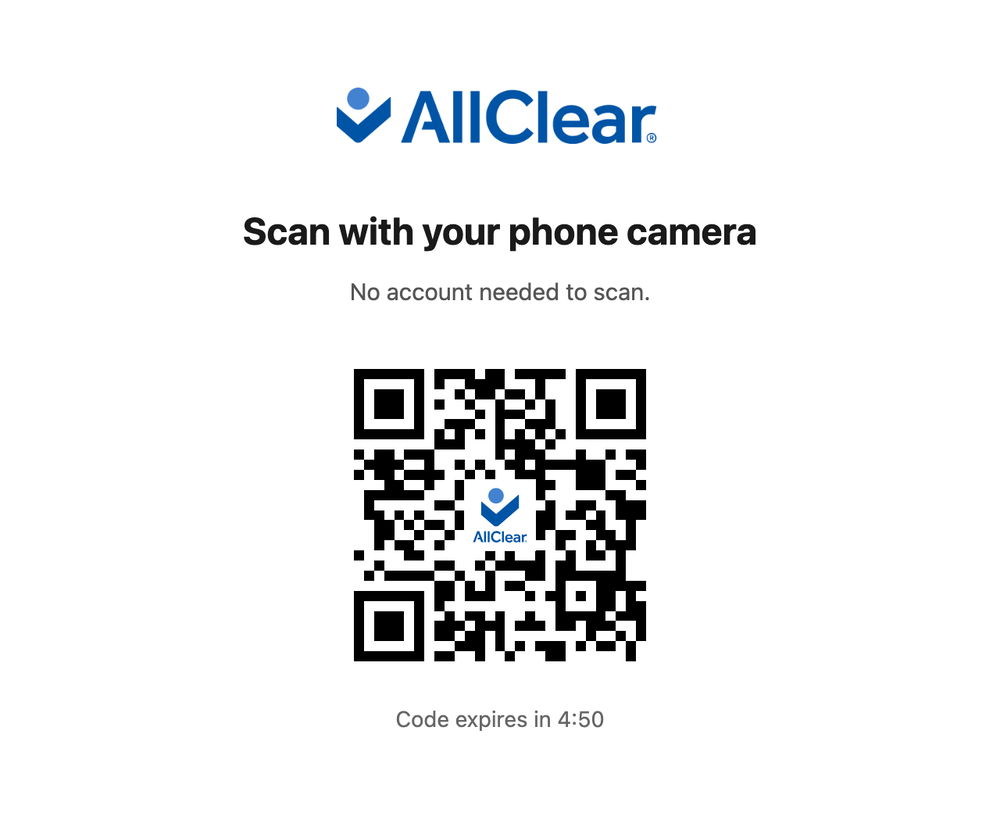
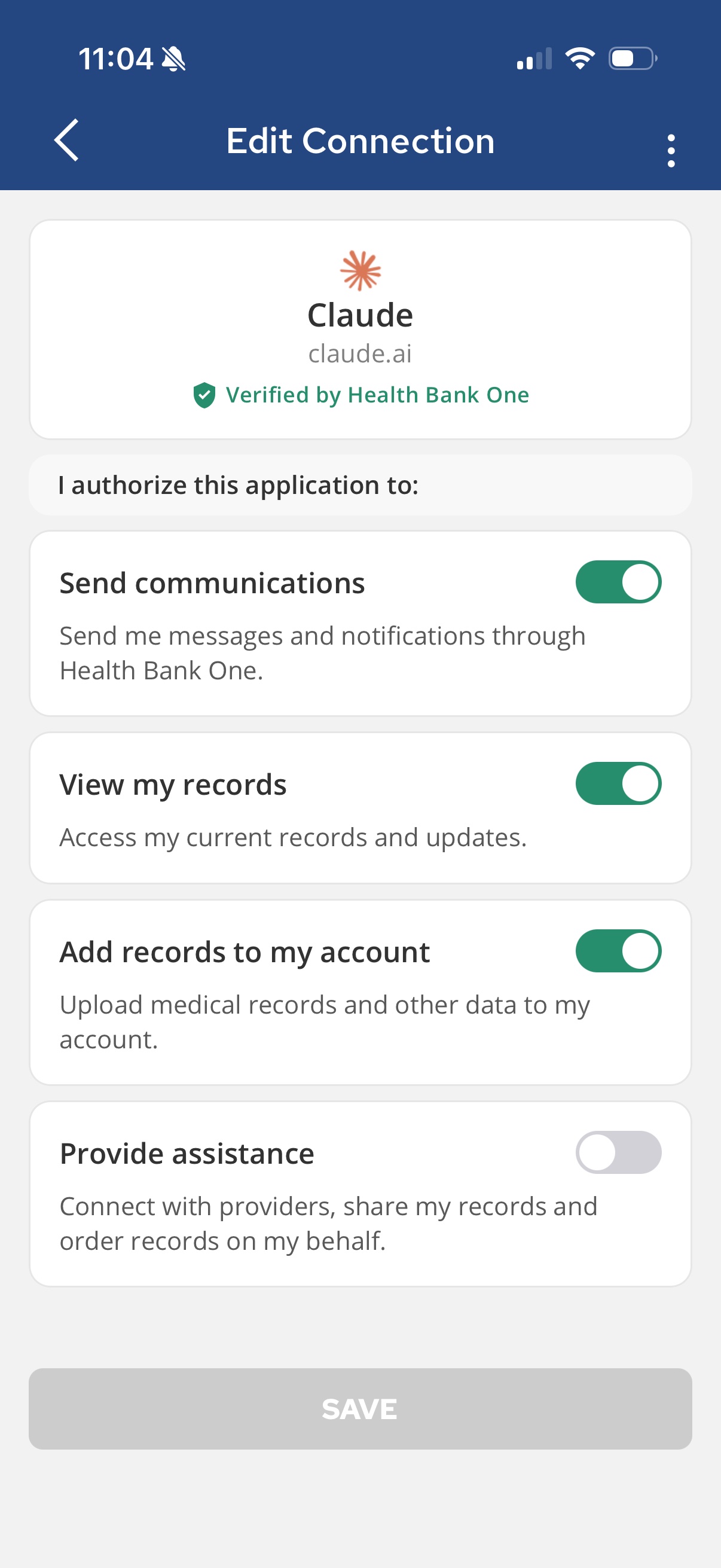
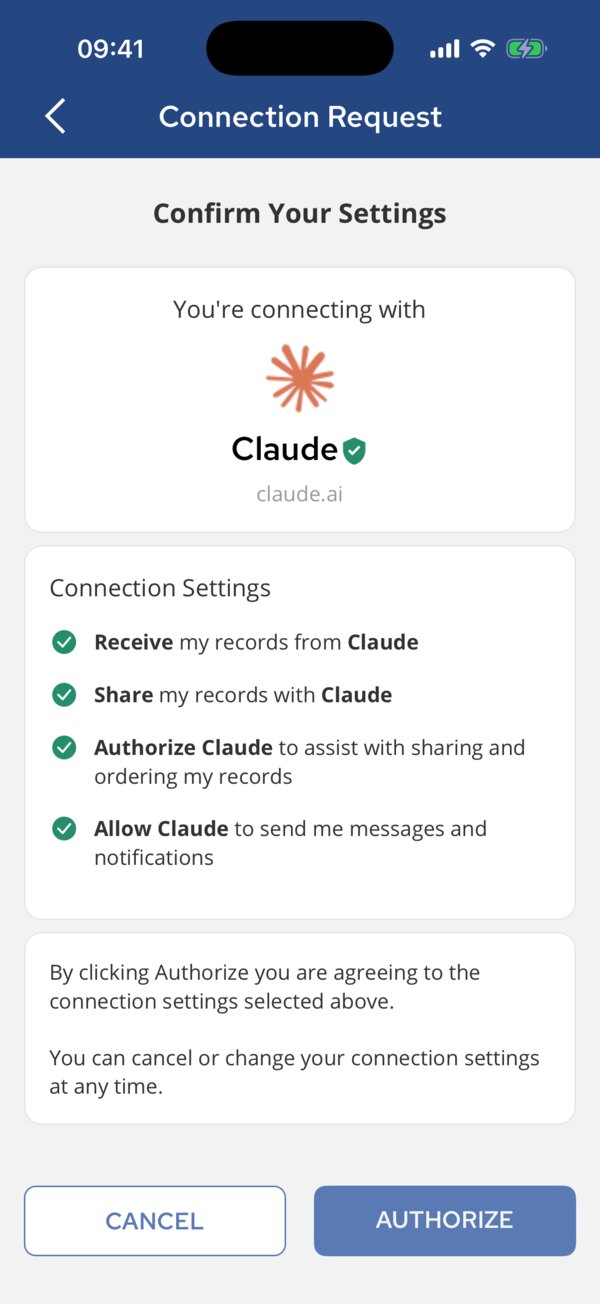
Real screens. The client shown is Claude, which connects this way today.
A first-time user is guided to create their AllClear account and verify their identity, a government ID and a liveness check, right inside the same handoff, once. Every session after is one tap, and every request you get carries that verified person.
What you don't build.
| Capability | What you don't have to build | With AllClear |
|---|---|---|
| Identity verification | A vendor, and the fallbacks when it fails | ✓Included |
| A consent screen people finish | The wording, and legal sign-off on it | ✓Included |
| Getting records out of institutions | A connector per source you add | ✓Included |
| Revocation that actually works | Propagation to everything downstream | ✓Included |
| An audit trail security will sign | The log, and the evidence for it | ✓Included |
| A guarantee behind every consent | The liability, on your balance sheet | ✓Included |
You keep your agent and one connection.
Frequently Asked Questions.
Do I need an SDK?
No. Standard OAuth and MCP; the libraries you already use work as they are.
What happens when the user disconnects?
Your tokens stop working at once and your next call is refused. You reconnect only if they say yes again.
Can I build against test users?
Test accounts are coming to production. Until then, connect your own account, as the panel above does. Nothing to request either way: your agent registers itself.
Doesn't my identity provider do this?
It lets your agent into your tools. It can't get your user's records, and it can't take permission back everywhere at once. Keep it. We handle the user's side.
Is this a wall between me and my user?
No. One screen, inside your flow. To your user it reads as handing their own agent a key.
Where does your control end?
At your edge. Past it, the developer terms take over: what you cache, you clear when the user disconnects. Training on this data needs a separate consent under the terms.
What about competitors? Who else is doing this?
Other companies do pieces of this — identity verification here, health records there, insurance eligibility somewhere else — usually working for the business. AllClear works for the user, exercising their legal right on their behalf under one consent model, live in production.
Do my users need the AllClear app?
Today, yes — it's where they review and approve access. That requirement is going away: a browser-based flow is coming, and the app will become optional, not required.
Get started today.Make your first call now.
"url": "https://mcp.app.allclearid.com/mcp"sign in, tap Authorizetools/call get_medicationsNothing to request: your agent registers itself. There is no pricing yet; developer terms and pricing are published before they apply.